

Get your credentials
To use the API, you'll need to generate an API token that will be used for authentication in your requests.
Generate an API token
- Log in to your OCUS account
- Go directly to the API tokens page or navigate to the "Organization" section in the left sidebar and select "API tokens" tab
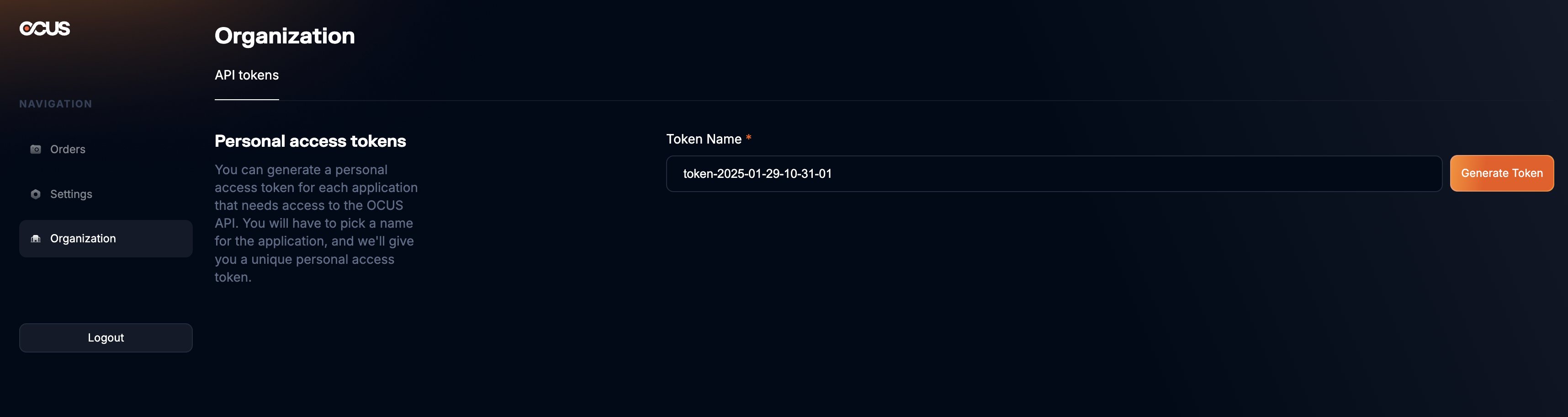
⚠️ Only organization admins can generate API Tokens.
- Enter a name for your token in the "Token Name" field
- Click on "Generate Token"
- Copy the generated token immediately - it will only be displayed once!
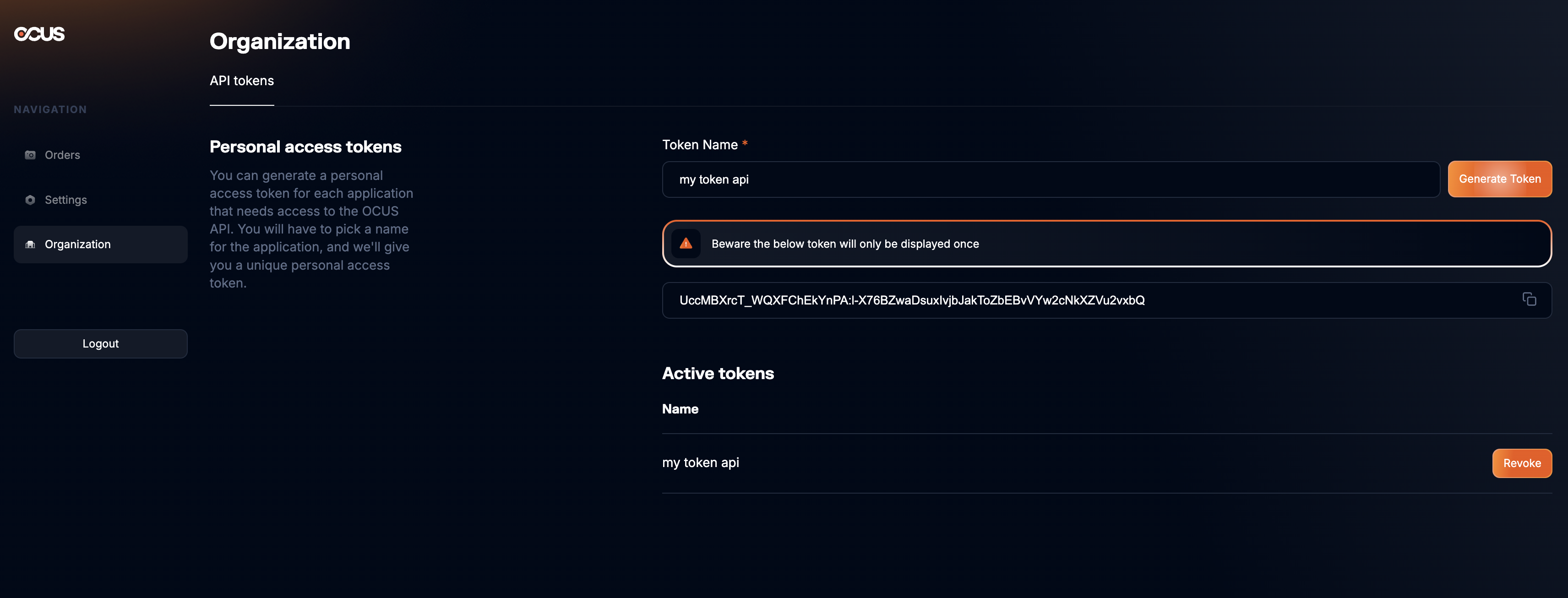
⚠️ Important: Make sure to save your token securely as it will only be displayed once and cannot be retrieved later. If you lose your token, you'll need to generate a new one.
Updated 10 months ago
Did this page help you?